Before any products can be published, shipping options must be set for each zone.
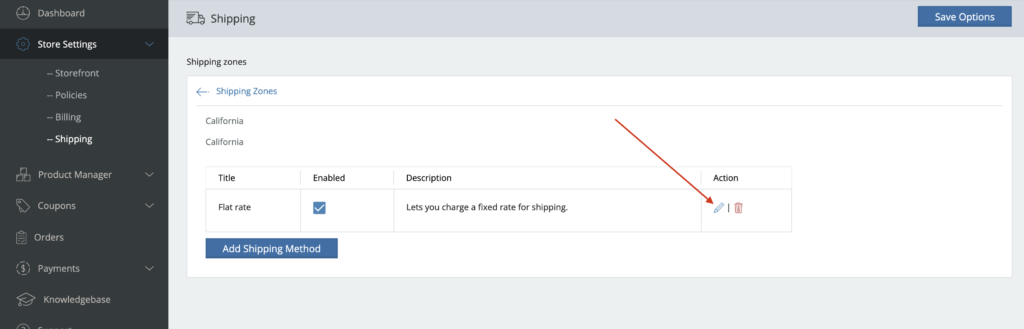
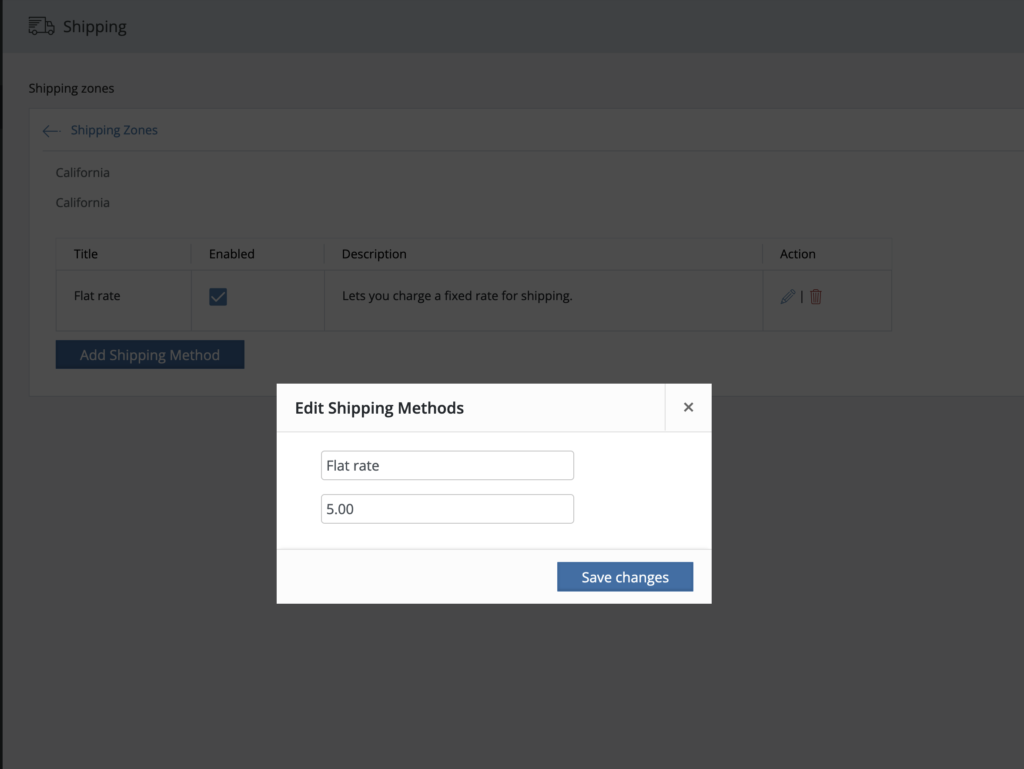
** When adding different methods, you’ll want to be sure to click back into the method using the “Pencil” icon to actually set the rates as seen below:
Of course, you have to be able to cover the cost to ship your products. To do that, consider changing the price of your products to include a portion or all of the shipping cost so you aren’t in the negative. Many retailers, such as Amazon, offer “Free Shipping”, but in reality, the cost of that shipping is subsidized by an increase product price and membership fees.
Alternatively, you can offer Free Shipping based on a minimum spend. By offering a free shipping threshold, retailers can increase the average order value and make customers feel like they are getting a good deal. For this to be effective, the minimum amount spent to qualify for free shipping should be larger than your average order size.
Watch the quick video below to learn more and enter your shipping preferences on your Store Settings > Shipping tab.
Quick shipping codes: Watch the video to see how to use
5
5 + ( 1 * [qty] )
5 + [fee percent=30]
5 + [fee percent=30] + ( 1 * [qty] )
[fee percent=30]
[fee percent=30 min_fee=5]
[fee percent=30 max_fee=15]
[fee percent=30 min_fee=5 max_fee=15]
5 + [fee percent=10 min_fee=2 max_fee=15]