
We integrate with Square, making it easy to get your products imported and keeping inventory synced!
To enable the Square integration, please contact our support team. We’ll enable it on your storefront and walk you through the next steps.
Instructions Once Enabled
Once our team has informed you that the Square integration is enabled, you’ll need to visit the Square Sync tab when logged into your seller Dashboard. Once there, you’ll see an Authorize Application link. Click that to authorize the connection with Square.
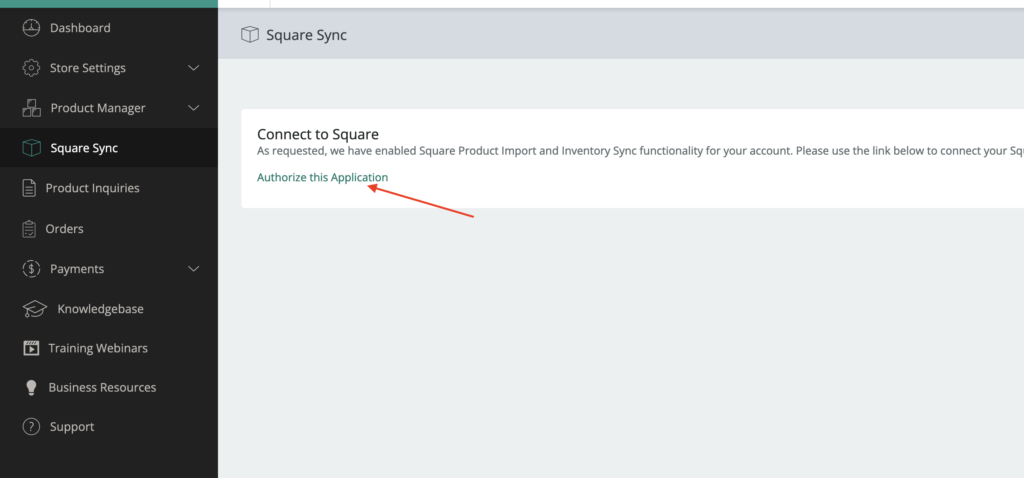
Once you authorize our application, it’ll re-direct you back to the Square Sync page where you can begin to import/sync your products.
Please note: After you import/sync a product, you’ll still have to go into the “Products” tab on your dashboard to Submit the products you want to publish on the site. Review each product to make sure it looks correct and select a category. Then, “Submit for Review” for our team to be notified to publish.

Once a product is synced, info such as Price, Description, and QTY will sync up on a daily basis based on what is in your Square item inventory. If a product is sold on the marketplace, it will immediately deduct that inventory from your Square item inventory to assure accurate counts.