To get a sales report for tax time, go to your Orders tab. Once there, select all of your orders. You will need most likely need adjust the Date Range and the Number of Rows showing in order to select them all.
Once you have your orders selected, click the “Download CSV” button as show below:
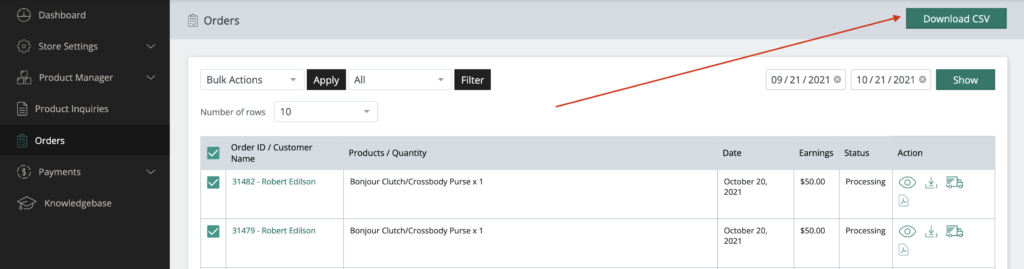
This will download a .csv of your order information that can be used for record keeping purposes.