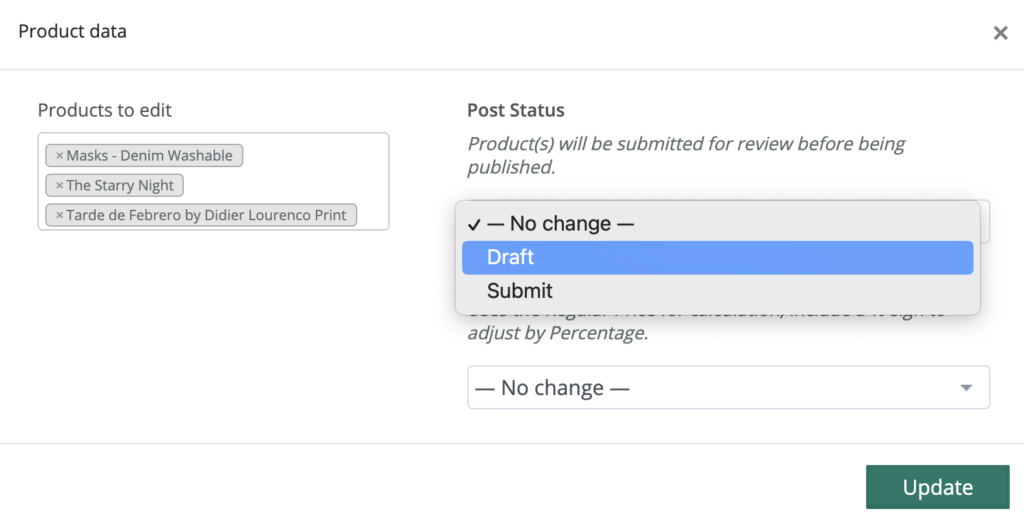
Are you planning a vacation, and want to temporarily turn off your products from being ordered while you’re away? No problem! You can bulk edit the status of your products from Published mode, to Draft mode.
Once you return, you can bulk edit once again and move your products from Draft mode, to Submitted. Our team will republish them to the site.
1. Go to Product Manager> All Products
2. Select the top checkbox to Select All products
3. Select the Bulk Action to “Edit”
4. Select “Draft” from the Post Status Section (or “Submit” upon return)
5. Click “Update” to move to update