Simple products are just that….simple! This would be a product that doesn’t have different color options, sizes, etc. What you see is what you get.
To add the new product, you’ll need to have the following before submitting to our team for review:
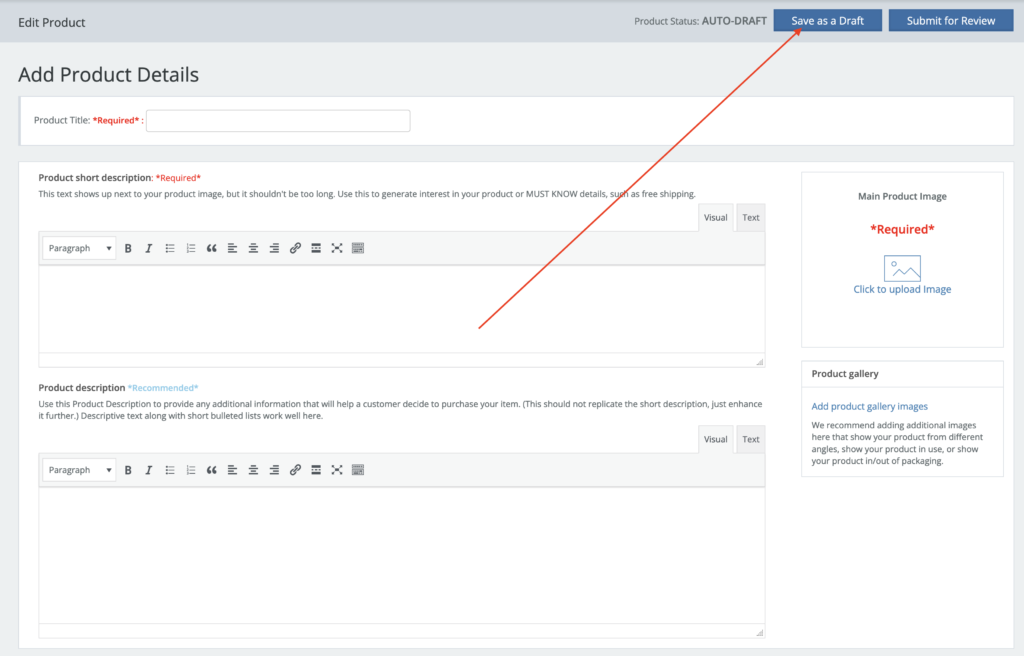
- Add a title: Add a descriptive name of the product
- Add a short description: Use this for a brief overview of your product and main selling points. Add a product description (if needed): Add any additional info that a customer would want to know before they make a decision to buy that product.
- Click to add a photo: This is the primary image of your product. It will be used for the thumbnail, catalog, and as the first image on your product page.
- We recommend using square photos with a minimum size of 500×500 pixels to provide flexibility for zooming and to ensure clarity. The maximum file size allowed is 128MB. If your photo is not square, we suggest using vertical orientation rather than horizontal.
- Add gallery photos (if needed): Product gallery images could be used for alternate views of your product, past examples of that work, or supporting photos related to that product/service. Tip: Customer’s only connection to your product is through the images. Try to provide the highest quality, in focus photos you can. Also, if you can, provide multiple views and angles.
- Enter a regular price (must be entered without $). Sale price (if needed). Sales prices can be schedule for a particular day, week, month, etc.
- Choose a category: Choose a top-level category and a sub category (if applicable). Please ONLY select 1 category to make a good shopping experience for customers, and so that they don’t find the same products in all categories.
Inventory
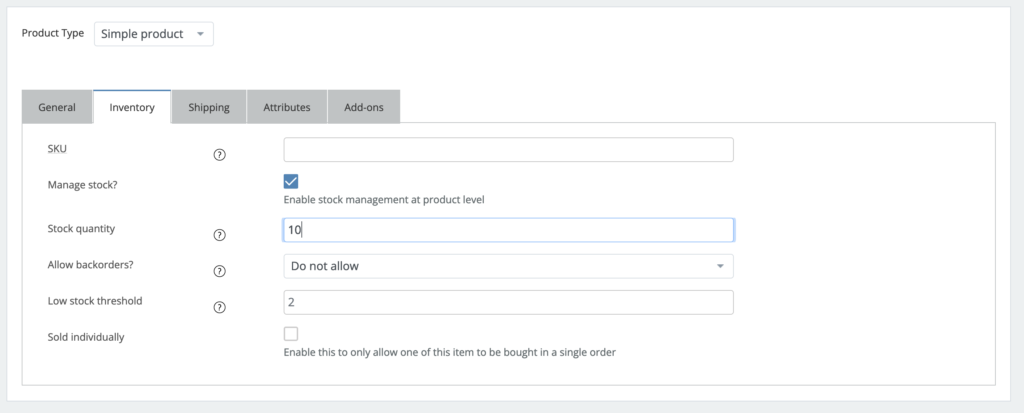
The inventory tab will allow you to set inventory for the product. When a product is purchased on the marketplace, inventory will be deducted. Once it reaches 0, the product will no longer show on the site.
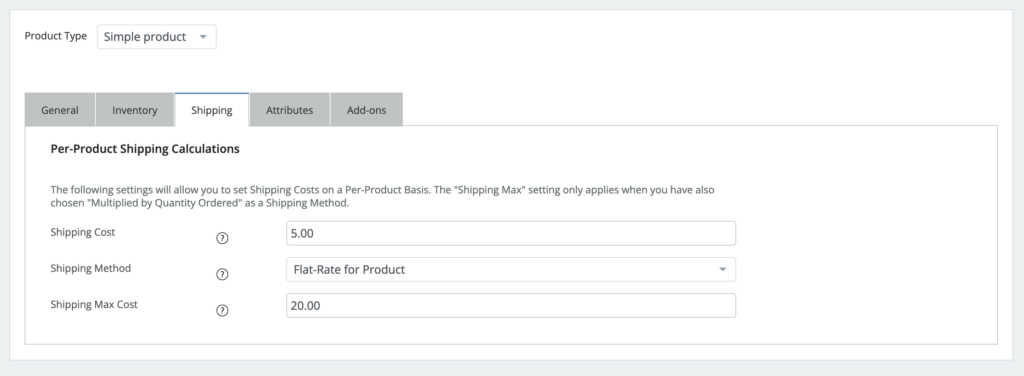
Per Product Shipping
Per Product Shipping allows you to set product-specific shipping rates to overwrite your overall store shipping rates and apply it to the specific product. This should be used sparingly, and is typically only used for sellers that might have a certain product that needs a dramatically different or special shipping rate for the specific product, compared to their overall store flat rates.
Tax
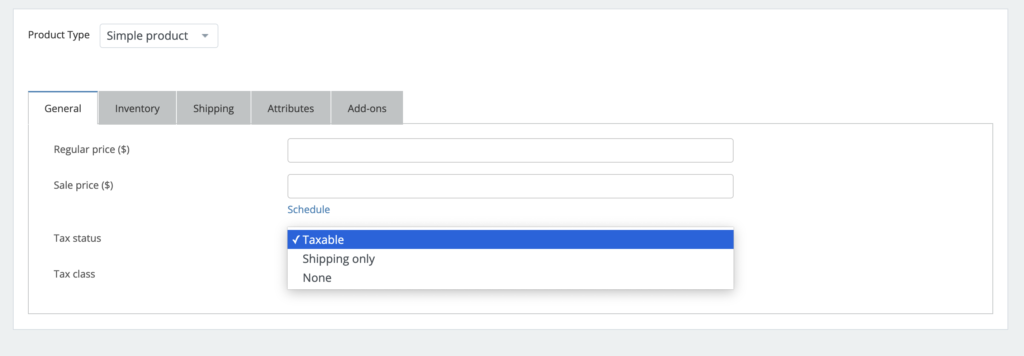
Tax is enabled on products by default. If you have a product that is non-taxable, adjust it on the “General” tab when editing your product.
Attributes
For Simple products, Attributes are used for your own personal classification. In general, you do not need to add them as they do not display on product pages.
Save as a Draft
As you’re working on Products, you’ll want to click the “Draft” button to save your progress. Clicking this button will save and put the product into the Draft status so it doesn’t show on the website.
Submit for Review
Please note that any new products, or changes to existing products, must be submitted to be reviewed by our team to assure it’s set up properly for purchase. Review is typically done within 1 business day. If submitted on the weekend or during a holiday, it may be delayed.
The Status column on the Products page tells you where in the process your product is in.
Watch this quick 3:47 video to learn more: