If you want to make sure you don’t miss an order, you can receive text notifications for new orders.
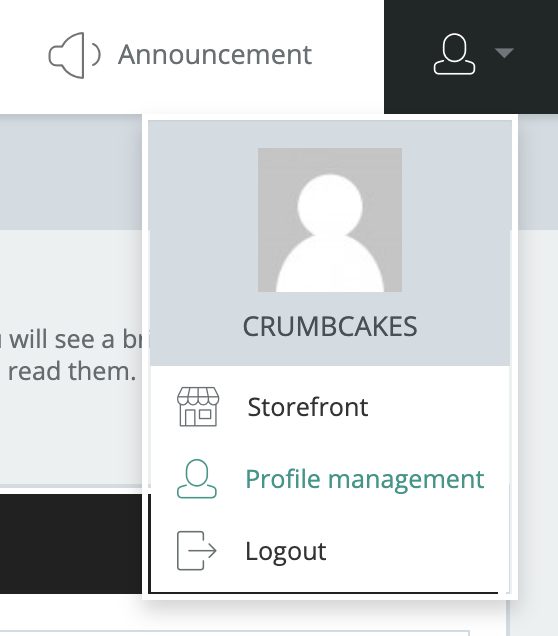
Go to the top right-hand corner of your seller dashboard and click the “User” icon. Then, go to Profile Management as seen below:
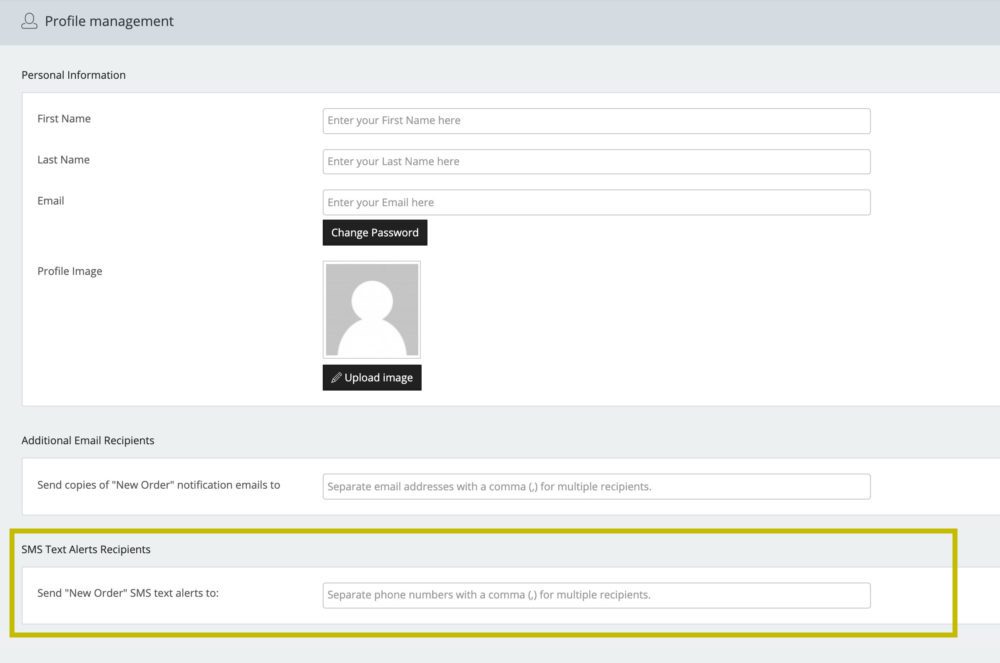
Once there, visit the SMS Text Alerts Recipients section toward the bottom of the page and enter the number(s) you want to receive text messages on for orders.
Enter the cell phone number using the format: xxx-xxx-xxxx or xxxxxxxxxx.
After you have entered in the numbers, click the “Save Options” button found in the upper right of your screen as seen below:
